


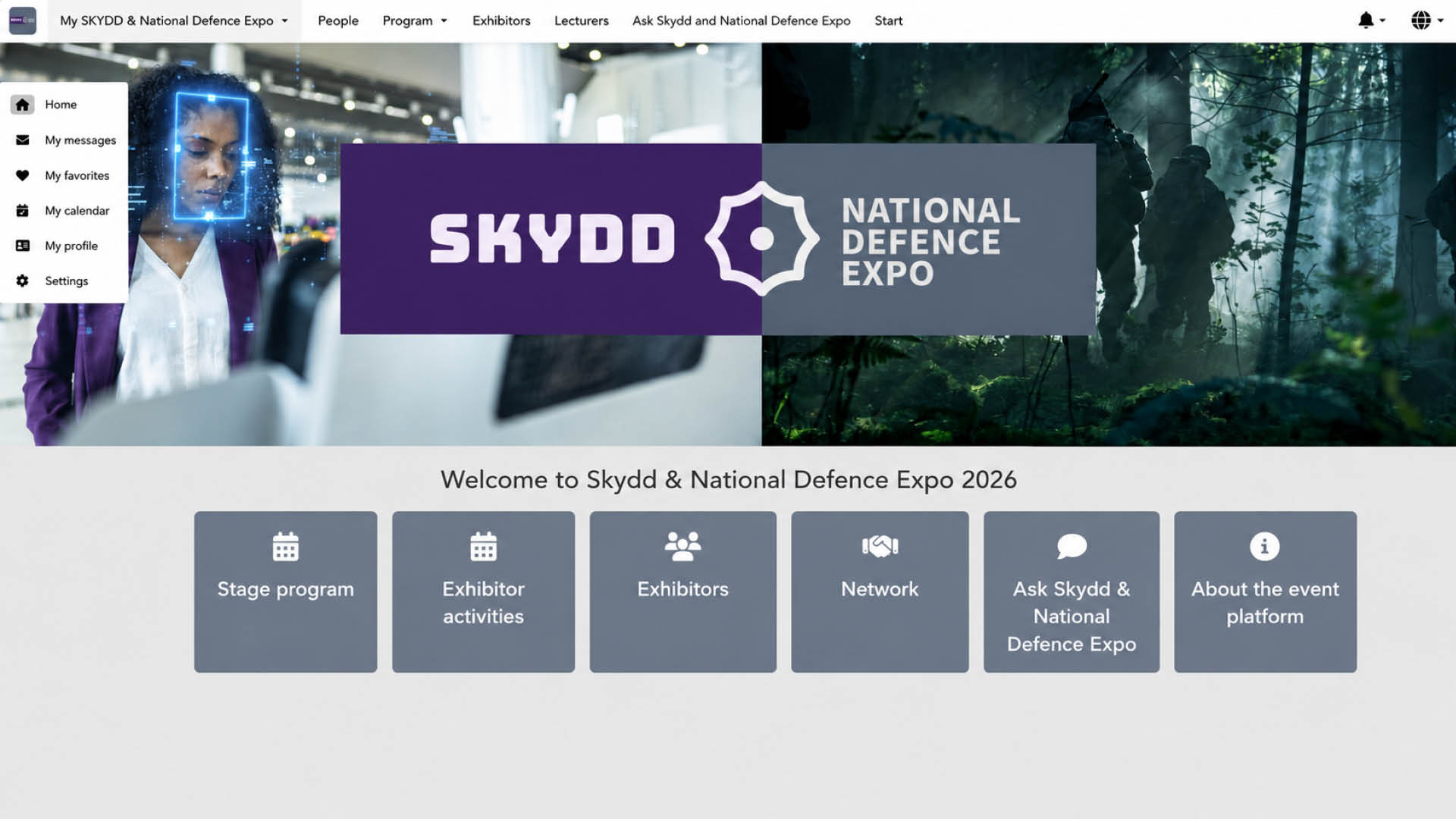
Make the most of your visit to SKYDD and the National Defence Expo with the Event Platform. Plan which programme sessions and exhibitors you want to visit, create your personal schedule and find people you would like to meet – even before the exhibitions begin
You can use the Event Platform on both your mobile and computer.
In the Event Platform, you can:
- Explore the Stage program and create your personal schedule
- Add programme sessions, exhibitors and people to My favoritesDiscover Exhibitor activities taking place at exhibitors’ stands
- Search for Exhibitors and find their locations on the hall map
- See which other attendees will be there
- Search for people you would like to meet
- Send messages and book meetings with other attendees
- Find and learn more about this year’s Lecturers
- Get help and ask the organiser questions via Ask Skydd and National Defence Expo
How to use the Event Platform
Plan your Stage program
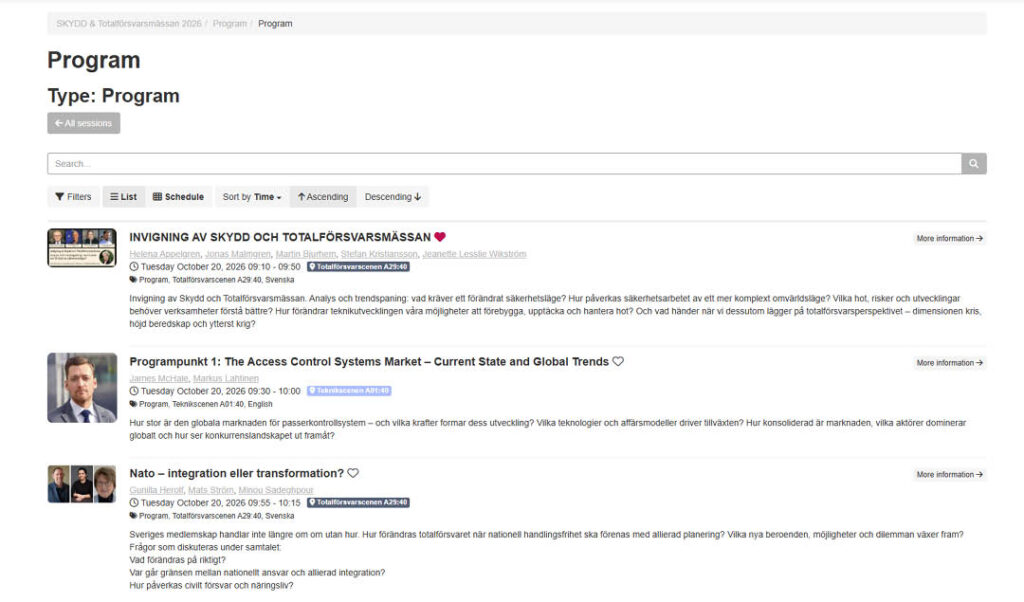
Under Stage program, you’ll find the programme sessions taking place on the stages at SKYDD and the National Defence Expo. You can search and filter the programme and choose whether to view it as a list or a schedule.
Click the heart icon next to a programme session to add it to your favourites. Your selections are collected under My favorites, making it easy to create your own plan for the exhibition days.
Discover what’s happening at exhibitors’ stands
There’s more to the exhibitions than what happens on stage. Under Exhibitor activities, you’ll find activities organised by exhibitors at their stands throughout the exhibition days.
Discover everything from presentations and demonstrations to other activities, and add anything you don’t want to miss to your favourites.
Find exhibitors and plan your visits
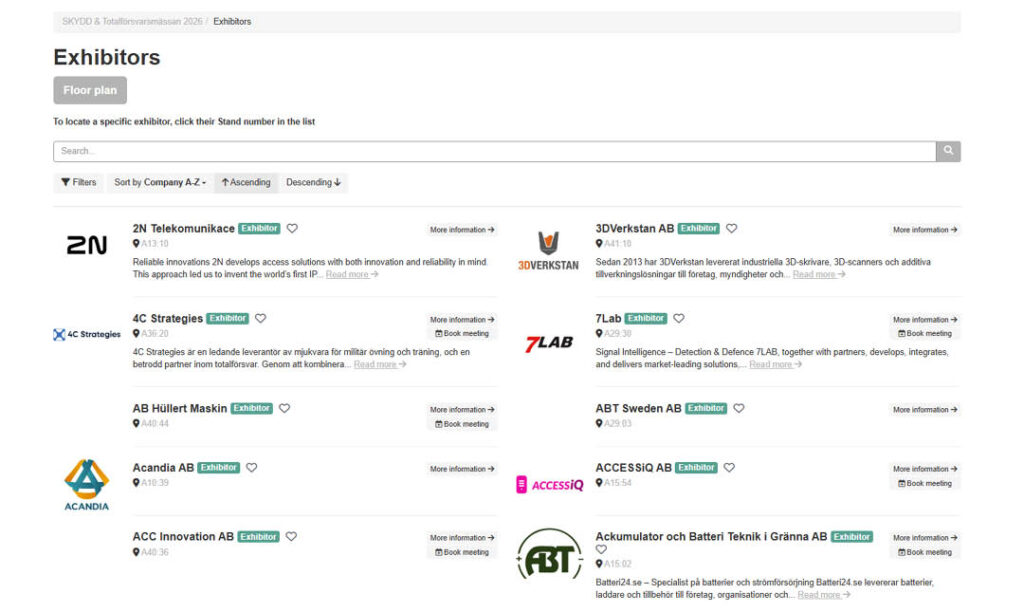
Under Exhibitors, you’ll find the companies taking part in SKYDD and the National Defence Expo. Search for a specific exhibitor or browse the list to discover who will be there.
You can see exhibitors’ stand locations and learn more about each company. Click the stand number to see where the exhibitor is located on the hall map.
You can also click the heart icon to save exhibitors you would like to visit.
Find people and book meetings
Under Network, you can find other attendees at SKYDD and the National Defence Expo who have chosen to be visible in the attendee list.
You can search and filter attendees, view their profiles and add people you are interested in meeting to your favourites. If an attendee has chosen to be contactable, you can also:
- send them a message
- book a meeting
Make it easier for others to find you
Don’t forget to review your own profile. Under My Profile, you can update your personal information and add a profile picture.
Under Settings, you can also choose whether you want to appear on the participant list and whether other participants should be able to contact you.
It’s especially a good idea to do this before the exhibitions, so that other participants can find you and arrange a meeting with you in advance.
Keep track of everything you don’t want to miss
Whenever you see a heart icon next to a programme session, exhibitor or person, click it to add the item to your favourites.
You’ll find all your saved selections under My favorites. Together with My calendar, this gives you an easy way to keep track of everything you have planned during the exhibition days.
Find this year’s Lecturers
Under Lecturers, you can search for the people taking part in the Stage program and learn more about them.
This also makes it easier to find programme sessions based on the people or organisations you are interested in.

Ask Skydd and National Defence Expo
Need help during the exhibitions? Via Ask Skydd and National Defence Expo, you can ask the organiser questions directly.
The chat is staffed 20–22 October, 09:00–17:00, and is open to all attendees. Please bear in mind that your messages can be seen by others, so do not share any information you would prefer to keep private.
If you’ve purchased a ticket, you’ll receive a personalized link to the web app by email.
Tip! Add this page to your phone’s home screen so you’ll have your trade show itinerary right at your fingertips throughout your visit.
